Chemist Find
· Editor · Tips · 5 min read
Clinical review: pending
Lost your eScript token? How to get your script back
An eScript token is only a key to your prescription, so losing it rarely means losing the script. Here is how to get a token resent, move your repeats to another pharmacy, and why a token might not work.
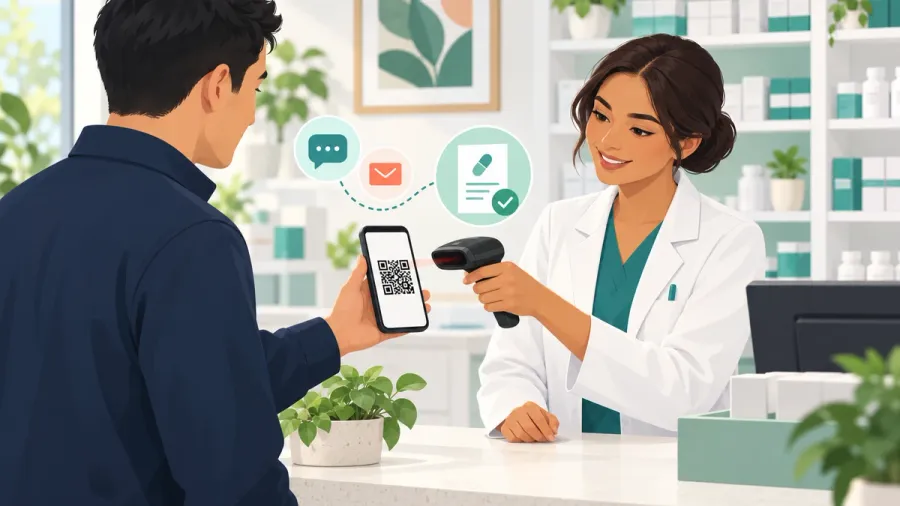
You deleted the text message, changed phones, or simply cannot find the email from your doctor’s surgery. Now you are at the pharmacy counter without your eScript token. It happens all the time, and in most cases it is easy to fix, because the token is not the prescription itself. It is a key that unlocks it.
This guide explains what an eScript token is, how to get a lost one back, how to move your repeats to a different pharmacy, and the most common reasons a token will not scan.
What an eScript token actually is
When your doctor writes an electronic prescription, they send you a link by SMS or email to a QR code: the token. Each medicine gets its own token. When the pharmacist scans it, the token unlocks your prescription from a secure electronic prescription delivery service. The prescription is stored there, not on your phone.
Two things follow from this:
- Losing the token does not delete the prescription. It can usually be resent.
- Whoever holds the token can use it. Tokens carry little personal information, so treat them like a paper script and do not share them with people you would not trust to collect your medicine.
If you lost the token for a new prescription
If the prescription has never been dispensed, contact the doctor or clinic that wrote it. They can resend the token, or cancel the prescription and issue a new one. Only the original prescriber can cancel an eScript.
If you lost the token for a repeat
After each dispense, the pharmacy sends you a new token for the next repeat. If you have lost that one:
- contact the pharmacy that last dispensed the medicine and ask them to resend the repeat token; or
- if you have an Active Script List, any participating pharmacy can see your current prescriptions and dispense without a token.
Some pharmacies keep repeat tokens on file for you. That is your choice, and you can ask for the token to be sent to you instead.
The Active Script List: never hunt for a token again
The Active Script List is a free list of your current eScripts. You register at a pharmacy with your mobile number and proof of identity. After that, new eScripts are added automatically (you can ask your doctor to leave particular ones off), and with your consent any participating pharmacy can see the list and dispense from it. You can also give a carer or family member access.
You can view your eScripts and Active Script List in the government’s 1800MEDICARE app once your myGov account is linked to My Health Record. Our guide to the Active Script List covers registering in more detail.
Moving your scripts to a different pharmacy
An eScript works at almost any pharmacy in Australia that is set up for electronic prescriptions, which is most of them. To switch pharmacies:
- Bring the token on your phone, or forward it to yourself.
- For repeats held by your old pharmacy, ask them to send the repeat token to you, then take it wherever you like.
- If you are on the Active Script List, your new pharmacy can usually see your scripts once you give consent.
Paper prescriptions are still available if you prefer them, and you can ask a pharmacist to print a paper copy of a repeat.
Getting someone else to collect it
You can forward a token to a family member, carer or friend so they can pick up your medicine. Some medicines, especially controlled drugs, come with extra checks, so the person collecting may be asked questions or for identification.
Why a token might not work
If a pharmacy cannot dispense your eScript, it is usually one of these reasons:
- It has already been dispensed. The token page will show it as dispensed and hide the QR code. If you have repeats left, the newer repeat token is the one you need.
- It has expired. Most prescriptions are valid for 12 months from the date written. Schedule 8 (controlled) medicines, such as strong pain relievers and ADHD stimulants, are valid for 6 months in every state and territory.
- The doctor cancelled it.
- The medicine is out of stock. The pharmacy may be able to order it, or you can take the token elsewhere.
- Extra checks for high-risk medicines. Pharmacists check a real-time prescription monitoring system before supplying many controlled medicines, and they can decline a supply if they have concerns about safety or validity.
- Interstate rules. Rules for dispensing interstate prescriptions for Schedule 8 medicines differ between states. If you are travelling, check with a pharmacy at your destination before you go.
A few people have also had trouble opening eScript links from text messages. If the link will not open, ask your doctor or pharmacy to resend it by email instead.
Practical Example: A 40-year-old in Parramatta moves house and wants to switch pharmacies, but her old pharmacy kept her blood pressure repeat on file and she has no token. She phones the old pharmacy and asks for the repeat token to be sent to her mobile. It arrives within minutes, and she has it dispensed at the new pharmacy near her home. While she is there, she registers for the Active Script List so the next move is easier.
Finding a pharmacy
To find one nearby, search for pharmacies by suburb or browse by state, such as pharmacies in NSW. If getting to the counter is hard, look for pharmacies offering home delivery. For tips on what your scripts should cost, see our guide to PBS prices and the Safety Net.
Official sources to check
- Australian Digital Health Agency: electronic prescriptions
- Healthdirect: eScripts
- Department of Health: national real-time prescription monitoring
A lost token is almost always recoverable. Ask the prescriber for a new script, or the last pharmacy for a repeat, and consider the Active Script List so your scripts follow you wherever you fill them.